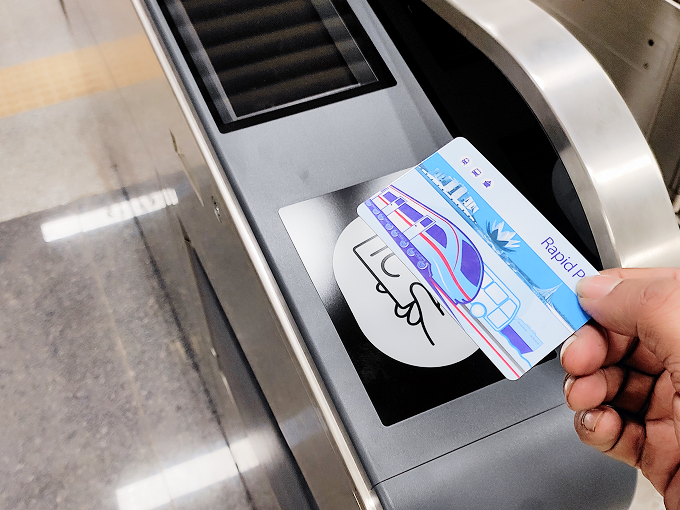
Usage Guidelines

ticket-gate

Simply tap it on the ticket gate to pass through.

Tap Card

Fares are automatically processed at the ticket gates.

Public Transport

This can be used on popular public transport services.

Top-Up/Recharge And Balance Check

Card top-up and balance check can be done from ticket vending machine or ticket counter
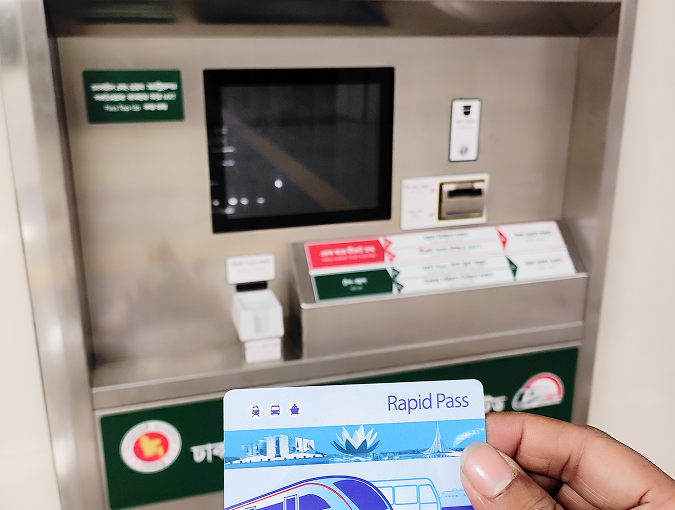
  • Process for Rapid Pass Card Recharge from TVM:
  • 1. First, place your Rapid Pass Card in the designated area of the TVM.
  • 2. Select the Top-up option from the screen.
  • 3. Choose the amount you want to recharge.
  • 4. Insert the cash into the machine as per the instructions.
  • 5. To save time, use the exact amount in smaller denominations.
  • 6. After seeing the successful message, take your card from the tray.
  • Note: Do not rush during the recharge process. This may cause your card to get blocked or damaged.
card-vending-machine

Online Top-Up/Recharge

Top-up/Recharge your registered Rapid Pass Card online
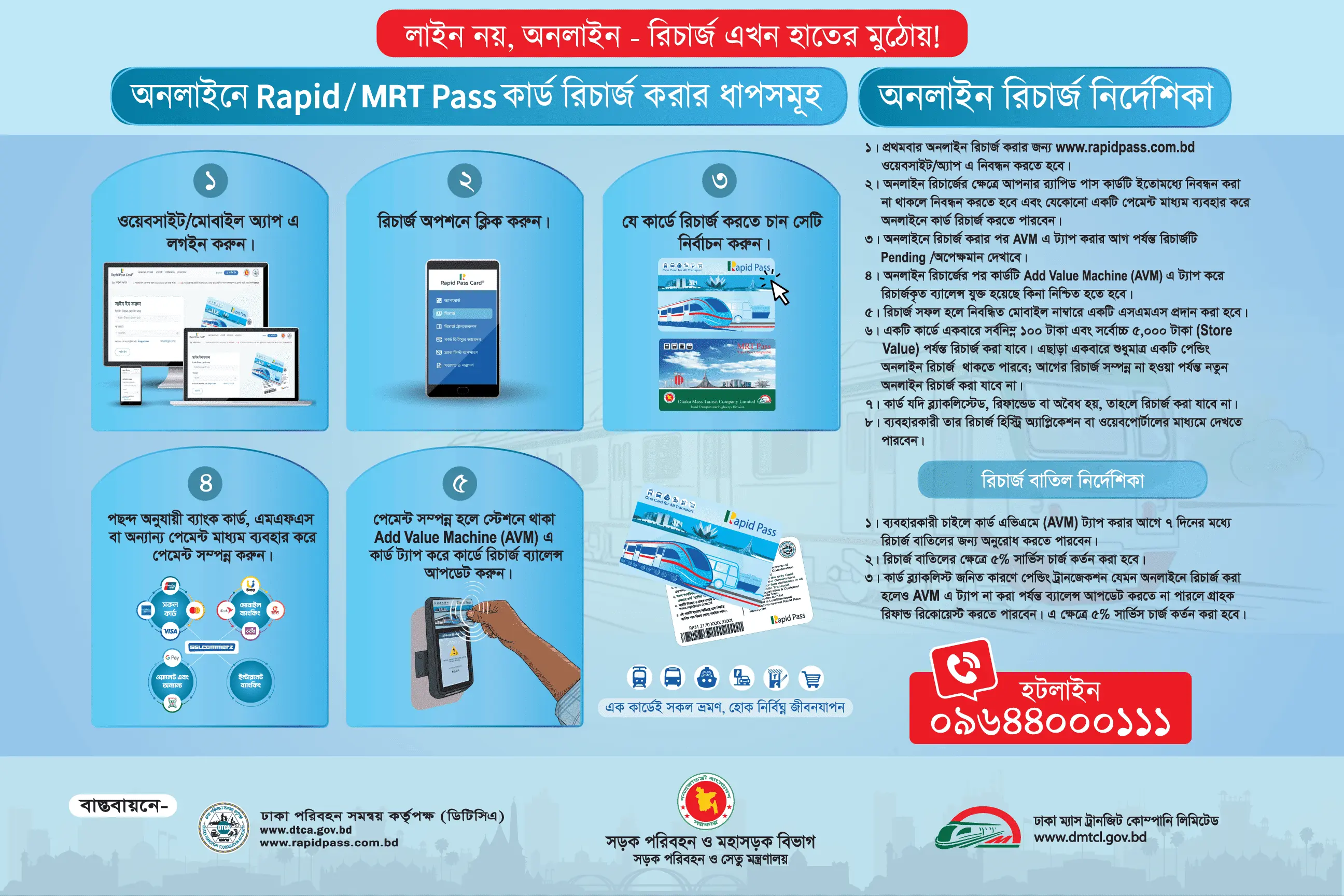
  • Process for Rapid Pass Card Recharge from Online:
  • 1. First, log in using your registered mobile number and password. If you do not have an account, create a new account. See details in the video
  • 2. After logging in, click and select the card you wish to recharge from the dashboard. (Alternatively: Select the card number from the "Recharge" option.)
  • 3. Select your preferred amount from the options below or type any amount between 100 Taka and 5000 Taka.
  • 4. Click the "Payment" button to go to the payment page. Complete the payment using your preferred Mobile Financial Service (MFS) or Bank Card, after which you will receive a confirmation of the successful transaction.
  • 5. Although the payment is completed online, the balance will only update after tapping the card on the Add Value Machine (AVM) located at the station. Go to any MRT station and tap the card on the AVM. See details in the video
  • 6. On the website "Recharge History" page, you can view all information, including the recharged amount, date, transaction ID, and payment status.
  • 7. A request for recharge cancellation can be made within 7 days before tapping the card on the AVM. A 5% service charge will be deducted for cancellation.
card-vending-machine

Use of Rapid Pass in Automatic Fare Collection (AFC) Machines at Metro Rail Stations

card-tap
  • 1. Hold the card at the designated spot shown in the AFC gate image.
  • 2. According to metro rail authority rules, if you do not exit after entry, a fine of 200 BDT will be charged the next day.
  • 3. Make sure to check your card balance on the display of the Automatic Fare Collection (AFC) gate while entering and exiting the station.

Customer Helpline

Rapid Pass Customer Care provides 24/7 call support, reach out for help anytime